Replace an order management spreadsheet in stages
Replace an order management spreadsheet one workflow at a time. Keep useful Excel routines and define ownership, exceptions and acceptance.

To replace an order management spreadsheet, start with the handoff that makes an order difficult to follow. That might be matching a delivery to a supplier purchase, checking which lines have arrived or finding out whether finance approved a payment. Choose one job, decide which record will own it and agree how the team will check the result.
A spreadsheet can hold several useful things at once: familiar entry forms, calculations, an order list and exports another department needs. Moving the work into a system means deciding what happens to each job. This guide uses our published TGPCB case to explain one set of decisions, then offers a checklist for planning your own first workflow.
What does it mean to replace an order management spreadsheet?
First, describe the question people need the new system to answer. “Replace Excel” leaves room for very different projects. “Let customer service see the received quantity for each order line without calling the warehouse” gives the team a specific workflow to examine.
Follow a representative order with the people who handle it. Identify where information enters, who changes it, which decisions need approval and what happens when a delivery is incomplete. Ask staff to show the files and messages they use. A column labelled “status” may conceal several separate checks.
Write down what must remain available during the change. Sales may need a familiar order-entry sheet; finance may need an export in an agreed layout. Assess these requirements alongside the new screens.
What we kept in TGPCB’s order workflow
TGPCB is an electronics components distributor in Vietnam. Its published order-operations case study describes orders split across suppliers, parcels arriving at different times and payments made in instalments. The system brings those records into one workflow.
Excel remained an entry and exit point. The system imports order sheets staff already knew and exports familiar layouts. The accounting package stayed, as did the suppliers’ portals. That decision let the business move processes into the system while retaining useful tools around it.
Inside the workflow, staff record events such as a supplier purchase, goods received or a payment approval. Those records determine progress. The case also describes role-specific guides in Vietnamese, so staff can learn the procedure for their own job.
Choose one handoff for the first release
List the points where someone copies information, asks for confirmation or corrects another record. Pick a bounded handoff whose inputs and result you can inspect. Keep its dependencies visible: receiving cannot reliably update an order line if nobody can identify which supplier purchase a parcel belongs to.
For an illustrative first release, imagine a distributor moving goods receipt into a shared order record. Sales continues preparing an agreed order sheet. The system validates that import, assigns line references and lets warehouse staff record quantities received against the correct purchase. Customer service reads receipt progress there. Accounting continues in its existing package.
State which purchases, locations and staff roles the release covers. Name excluded work, such as changing accounting or rebuilding supplier portals. Confirm that the first workflow can operate within those boundaries before agreeing the scope.

Give the sheet and the system clear responsibilities
Keeping an import does not settle who can change the resulting record. Agree when a spreadsheet stops being the place to edit an order, which fields an import can update and how later corrections are handled.
For the illustrative receiving pilot, the boundary could be:
- Before import: sales prepares order lines in the agreed template.
- During import: validation identifies missing references and invalid quantities, with a clear record of accepted and rejected rows.
- After acceptance: the system owns receipt quantities and history; staff correct them through an authorised procedure.
- On export: the output supplies agreed information to its recipient; it becomes an input again only through an explicit, validated process.
Decide how repeated files and revised orders are recognised. Ask the delivery team to demonstrate a second upload of the same sheet. A familiar file format still needs rules for identity, validation and correction.
Make order progress follow recorded work
A shared record becomes useful when staff can explain why it shows a particular state. In the TGPCB case, order and line states derive from recorded activity. The published case gives a concrete example: an order becomes shipped when every line has a tracking number.
For your own workflow, define the underlying facts first. A receiving view might show ordered quantity, received quantity and the remaining balance for each line. A partial delivery should be understandable from those records. A manually edited “complete” cell provides less information for someone investigating a missing parcel.
Agree who can record a receipt, who can correct it and what history a reviewer needs. Include the reference, quantity, responsible person and time wherever they are needed to explain a change. Write the correction procedure before staff need it on a live order.
Rehearse exceptions with the people doing the job
Walk through representative records with sales, warehouse staff and customer service. Include the cases that currently send them back to messages or handwritten notes.
- Partial receipt: a purchase for ten units arrives as six. Confirm that six are recorded and four remain outstanding.
- Unmatched parcel: the supplier reference is missing. Agree where the parcel waits and who resolves the match before a receipt changes an order.
- Incorrect quantity: a user records seven instead of six. Demonstrate the permitted correction and the history it leaves.
- Repeated input: the same sheet or receipt reference is submitted again. Check the expected handling without adding the quantity twice.
- Unavailable system: staff cannot reach the screen. Agree a temporary recording procedure and who checks its later entry into the system.
These are proposed acceptance scenarios, not claims about a product’s existing behaviour. Record the expected outcome for each before the demonstration. Give each role a short guide covering normal work, exceptions and an escalation contact.
Agree what will let you retire the old record
A pilot needs a decision about when staff can stop maintaining the old receipt columns. If you compare old and new records for a limited period, name the authoritative record, the person resolving differences and the end condition. Otherwise, the team can inherit two competing versions of the same order.
Use this checklist at the milestone review:
- Can staff trace a receipt to the intended supplier purchase and order line?
- Do normal, partial, unmatched and corrected receipts produce the agreed result?
- Can customer service read receipt progress without a second manual status update?
- Do imports report rejected rows clearly, and do required exports retain the agreed layout?
- Do staff know the correction and temporary fallback procedures?
- Has the operations owner accepted the evidence and identified which old updates can stop?
Measure the work you intend to improve before setting targets. Possible measures include time spent answering a receipt question, unmatched parcels awaiting investigation and repeated corrections. Treat savings as unmeasured until you have a comparable baseline and evidence from actual use.
Use the first workflow to decide the next phase
Review what staff still have to copy, reconcile or ask someone else to confirm. The next useful change might be purchasing, payment approval or a clearer exception queue. Select it from observed work and dependencies, and write another bounded scope with its own acceptance criteria.
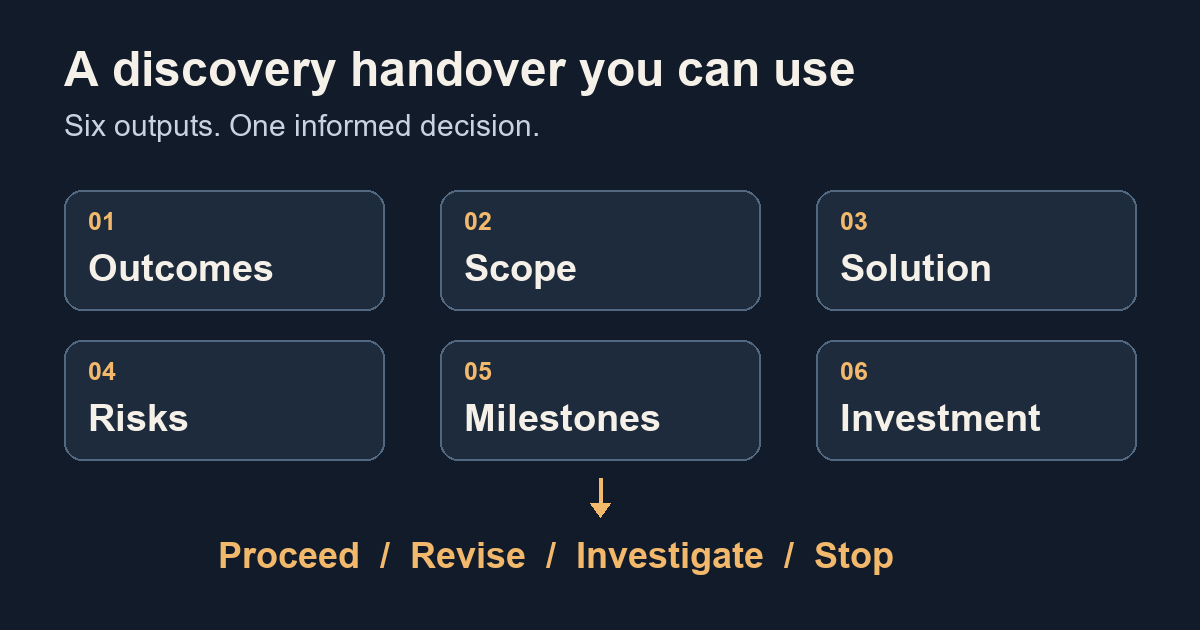
Our Build process structures delivery around milestones that can be demonstrated and accepted. When the first workflow or its dependencies are still unclear, a Product & System Blueprint provides discovery before that commitment. Bring a representative order, the sheet people use and the handoff that keeps requiring a conversation. They give the team something concrete to investigate.
Start with a paid Blueprint, not a guess
One to two weeks to agree the scope, the risks and the measure of success — then a fixed price for the Build.